FOR LUMONIC CUSTOMERS
Open your MCP settings ↗
The MCP library
Pre-built prompts and artifacts for every workflow and team, with every number traced to source.

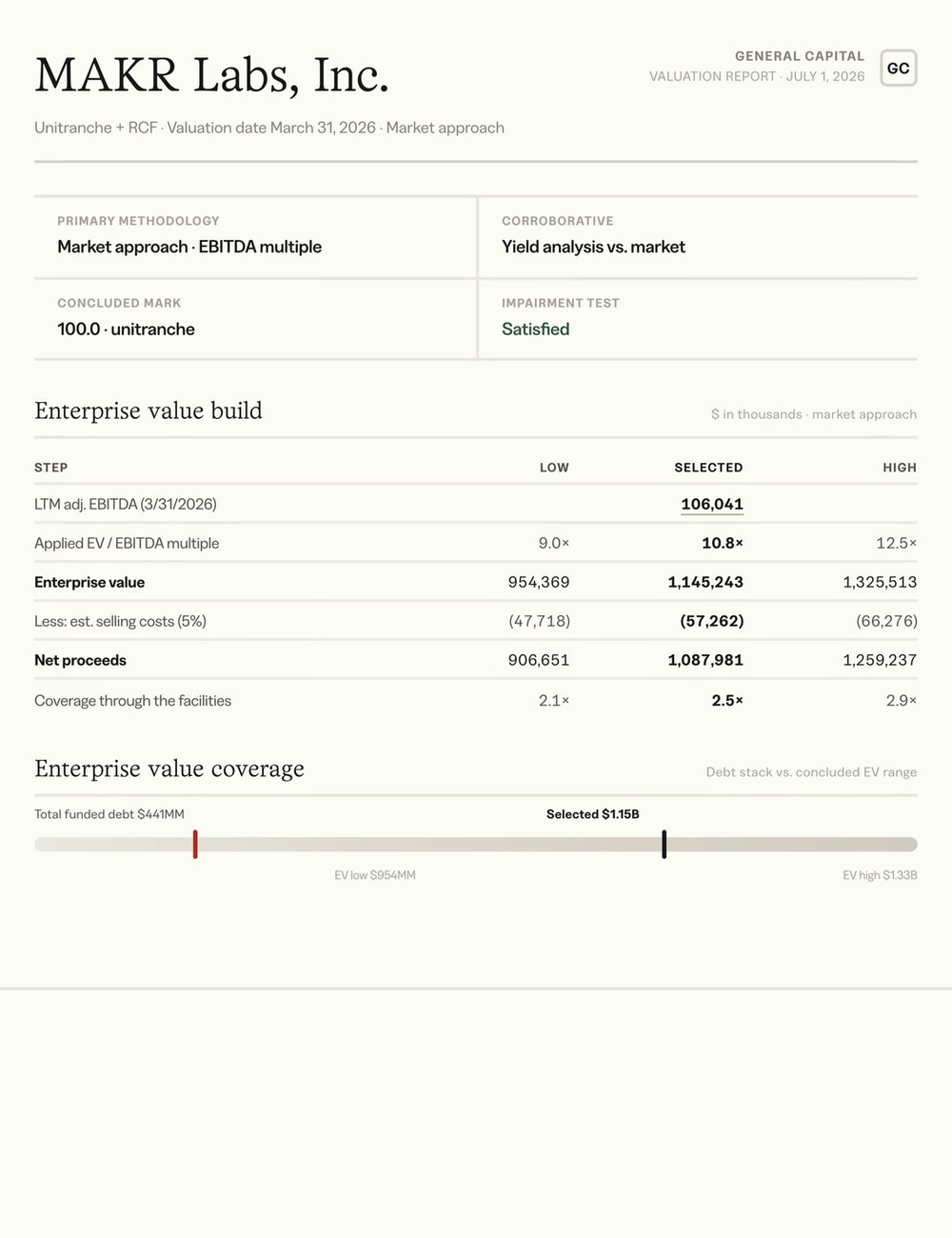
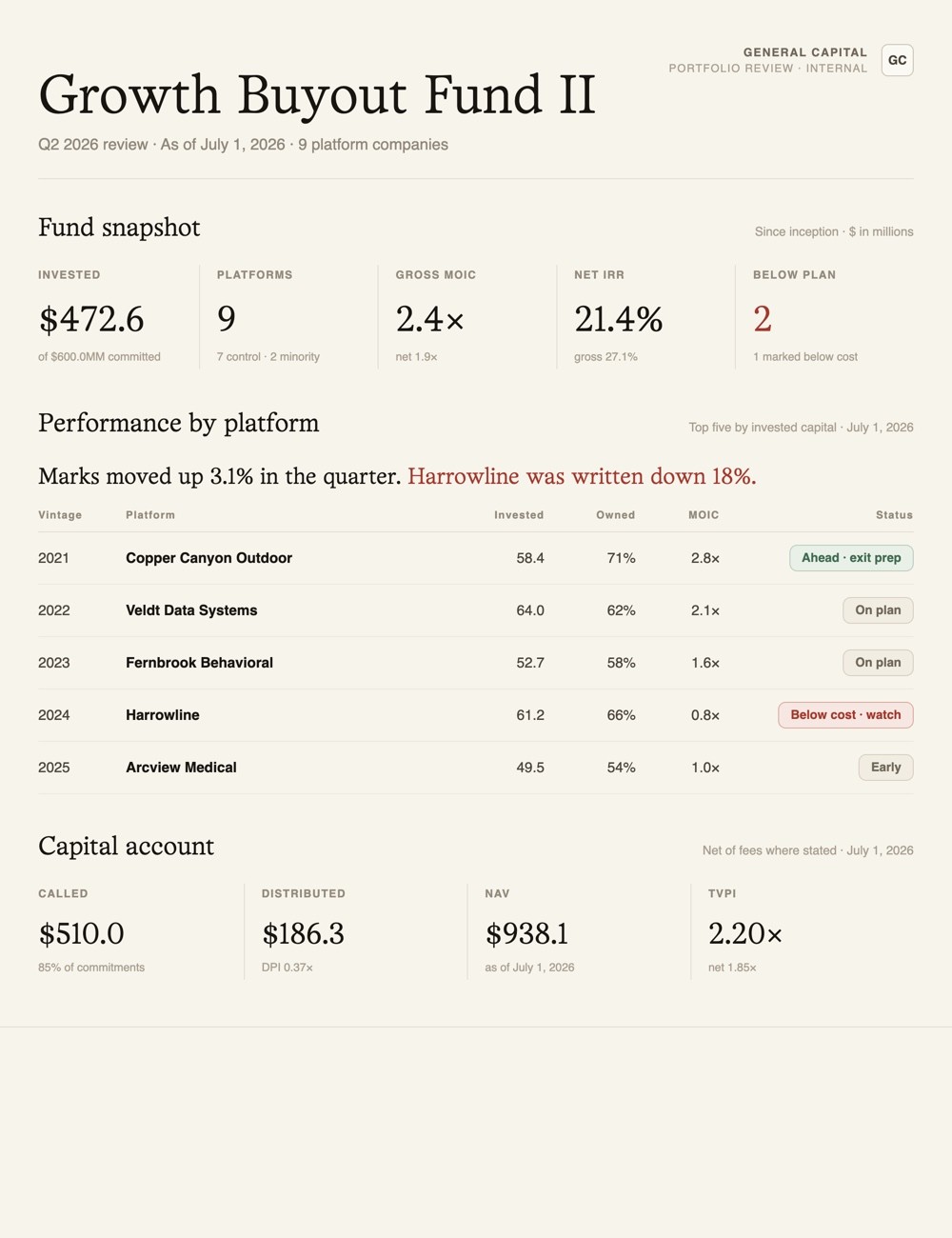
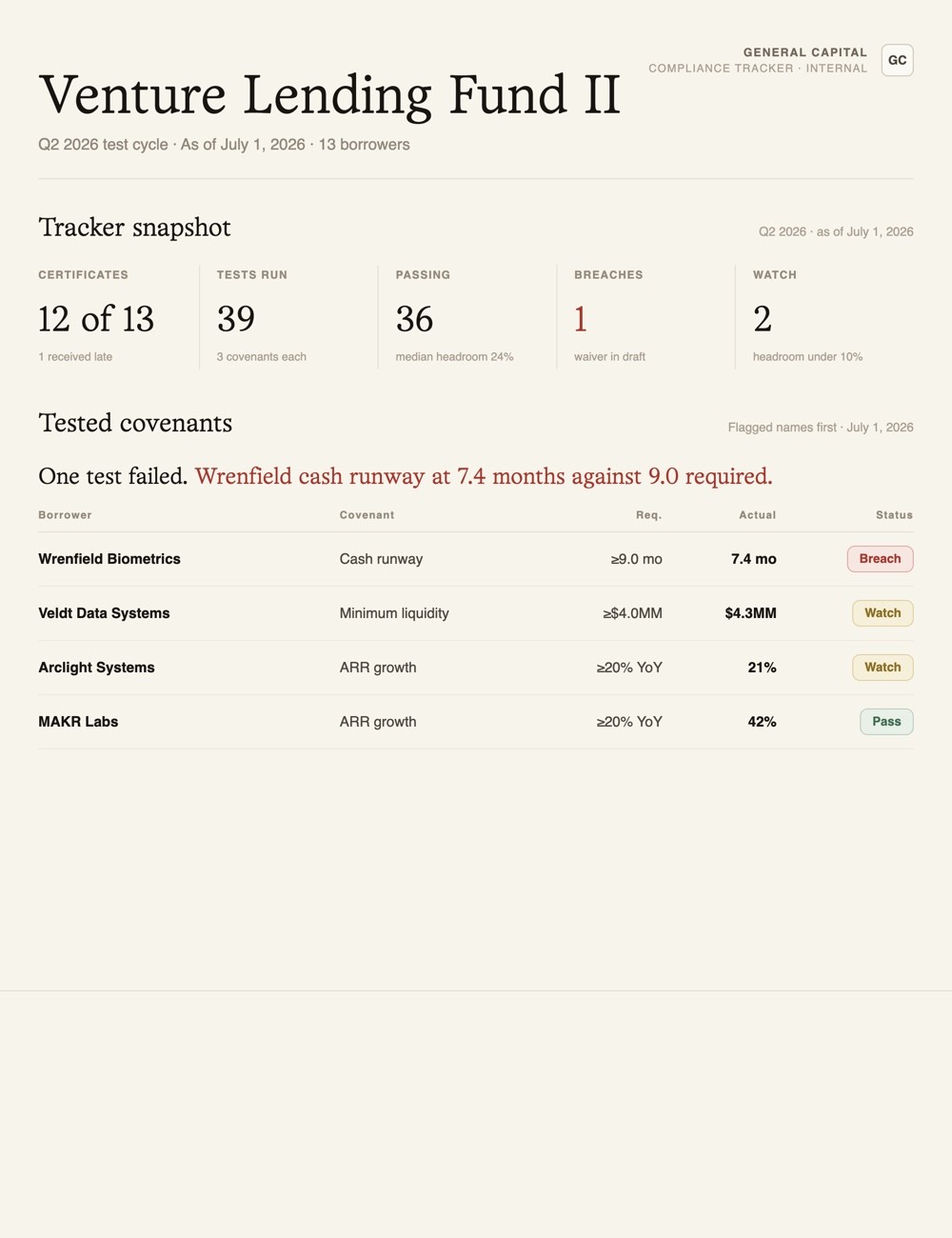


An MCP on its own is just a connection. Ours comes with a library of finished artifacts. From the moment you connect, every number traces back to its source file.
An MCP on its own is just a connection. Ours comes with a library of finished artifacts. From the moment you connect, every number traces back to its source file.
An MCP on its own is just a connection. Ours comes with a library of finished artifacts. From the moment you connect, every number traces back to its source file.
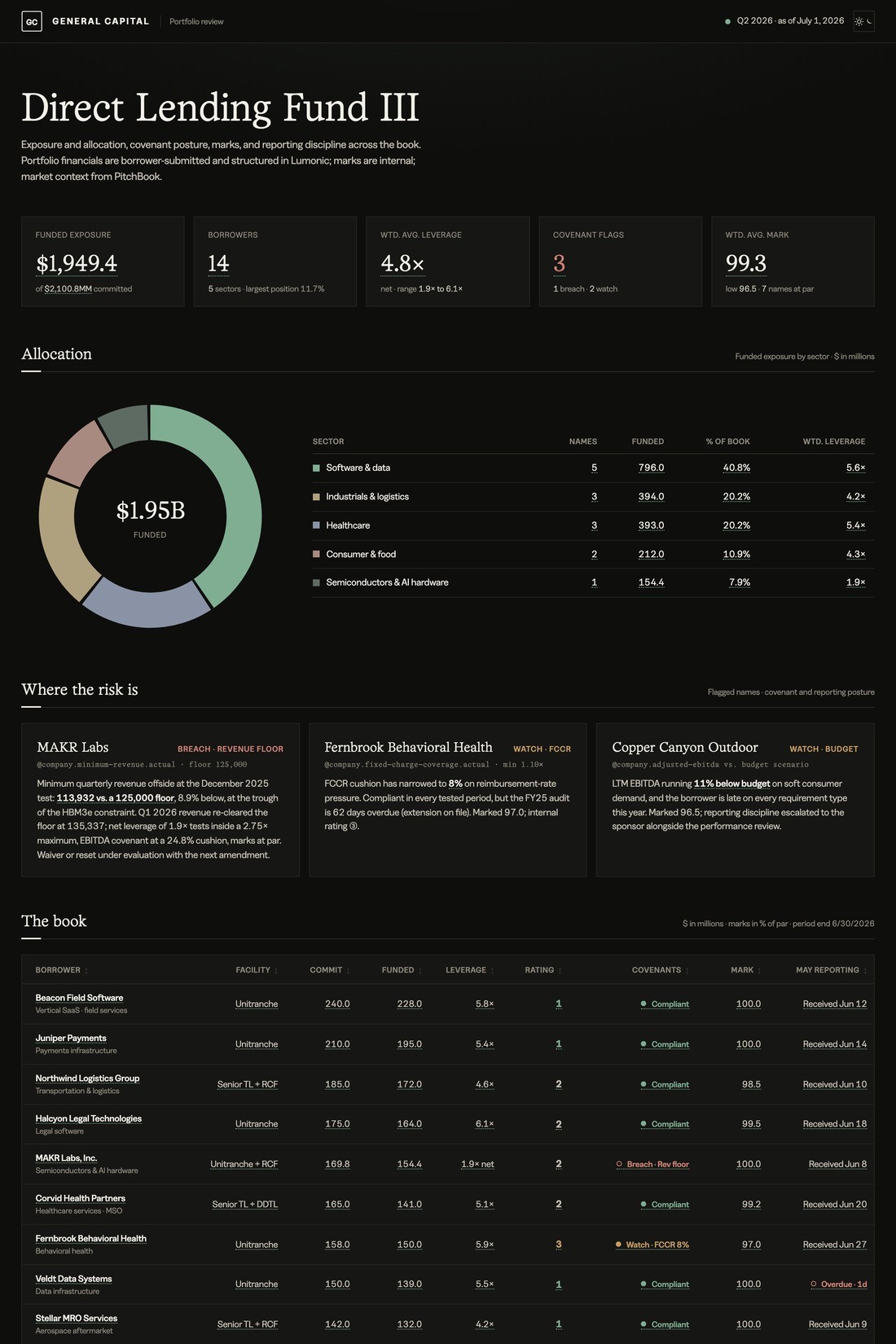
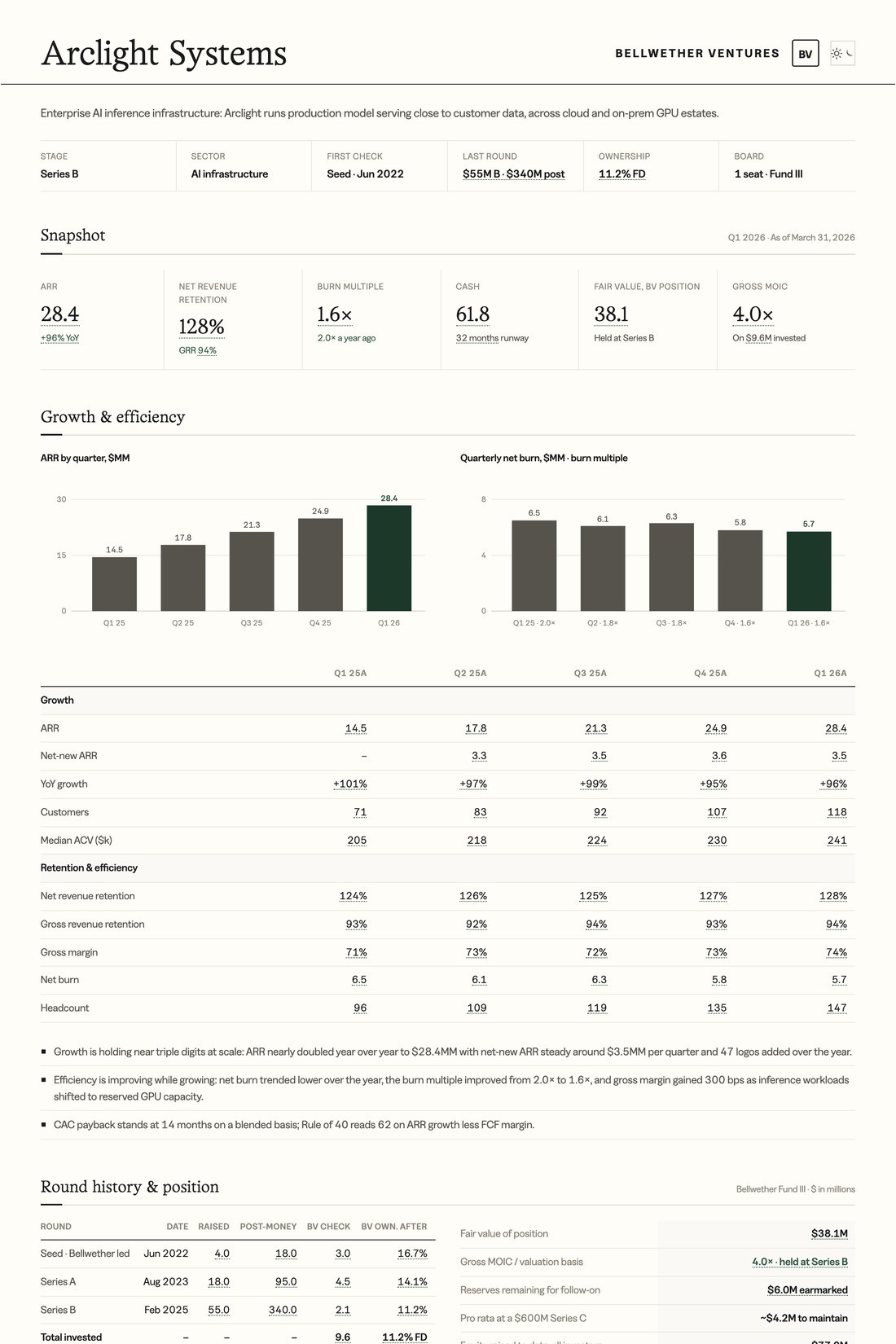
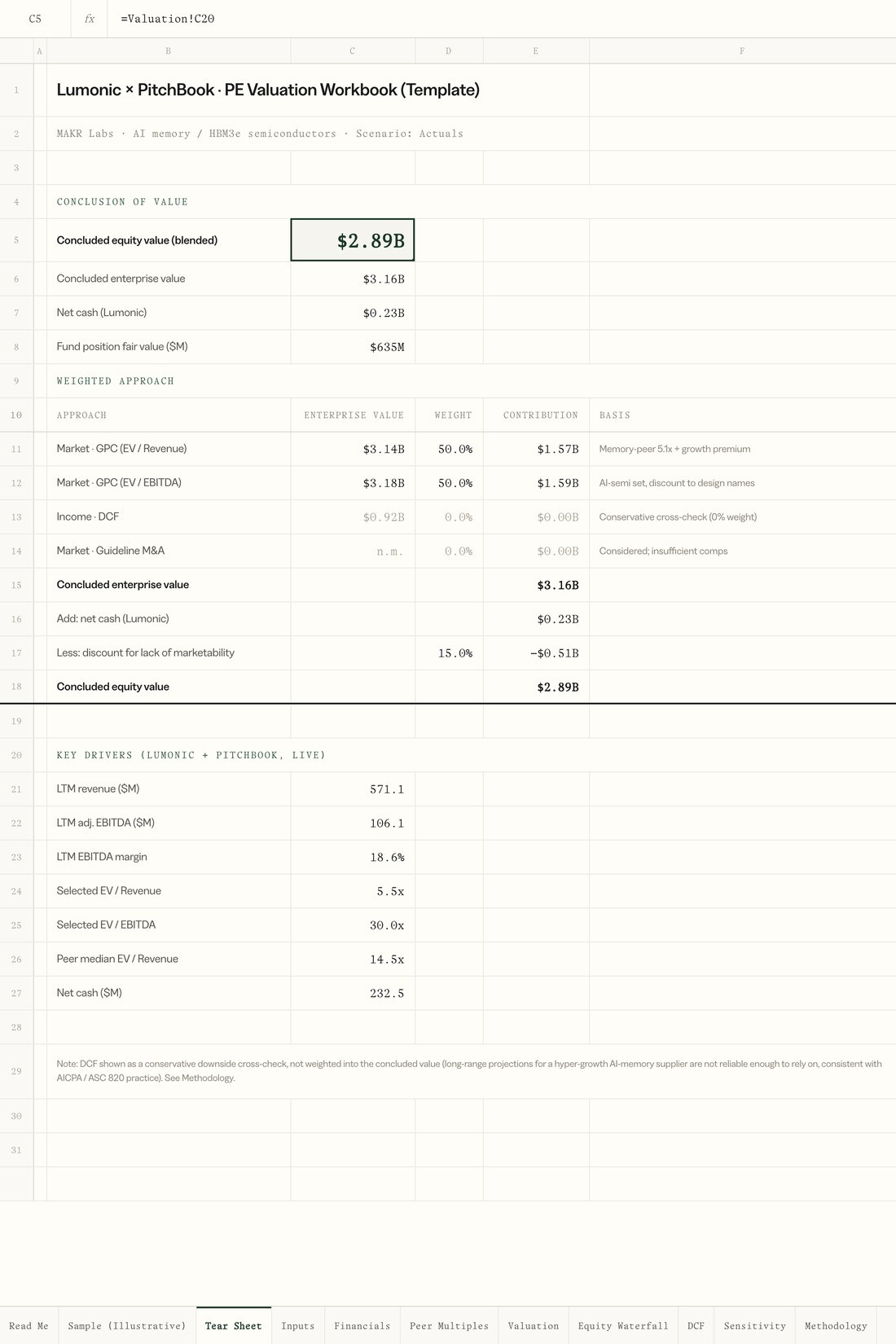
Add Lumonic to Claude, ChatGPT, or any MCP client. Upload an artifact from the MCP Library. The Lumonic MCP builds it from auditable portfolio data, returning a finished deliverable. Audit any figure back to its source file.
Never start from a blank chat
Tear sheets, portfolio reviews, valuation sheets, deliverable trackers. Download them as templates and rebuild each one from your own portfolio every quarter.
Every number arrives with its history
Each artifact the MCP builds sits on the same stack: the finished file on top, the Lumonic MCP in the middle, the source document underneath. Click any figure and drop straight down to the exact cell it came from.
Where’s leverage after the add-on?
Where’s leverage after the add-on?
Who’s off plan by more than 20%?
Who’s off plan by more than 20%?
Who’s under six months of cash?
Who’s under six months of cash?
Did the borrowing base move?
Did the borrowing base move?
How much headroom is left?
How much headroom is left?
Where’s EBITDA vs budget?
Where’s EBITDA vs budget?
Which KPIs missed plan?
Which KPIs missed plan?
Which marks moved?
Which marks moved?
Stop answering these by hand
Get the Lumonic MCP to answer them
Talk with us

Monitor portfolio data from the source—
across every asset class.
© 2026 Lumonic Inc., a PitchBook company.
© 2026 Lumonic Inc., a PitchBook company.